Cinematography
Learn to craft stunning visuals, understand camera movement, and utilize lens choices to tell compelling stories. From lighting techniques to composition fundamentals, gain the skills to create a professional cinematic look for any project.
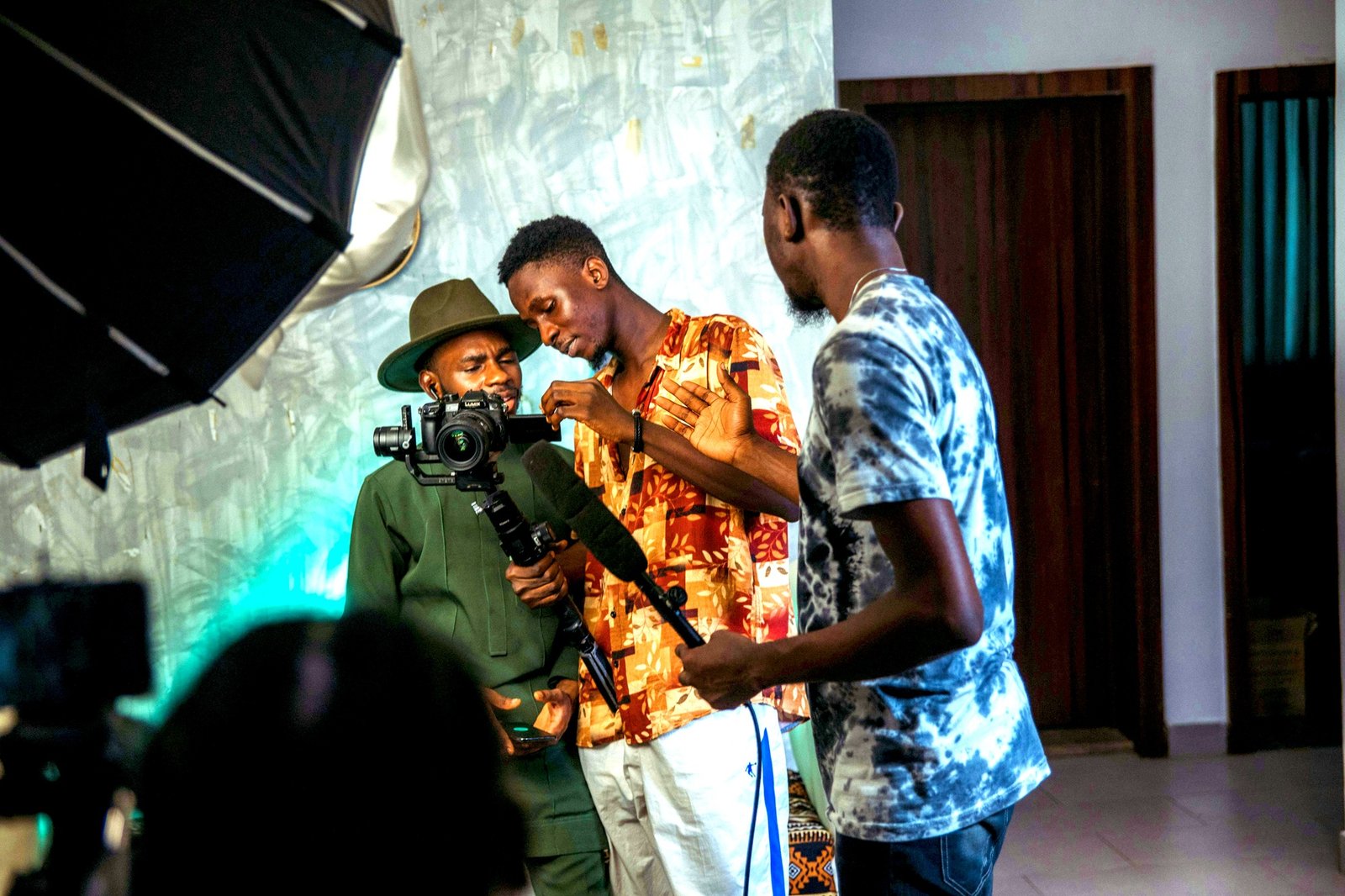

Become a Director of Photography in our intensive 8-week course
Designed for aspiring filmmakers, this comprehensive eight-week course on Seed LMS guides you step-by-step through professional camera operation, Adobe Premiere Pro, and modern AI workflows. You will develop the essential skills of manual exposure, visual composition, cinematic lighting, and professional colour grading while building a high-end cinematography pipeline. Beyond the core eight weeks, you’ll receive a full month of free, one-on-one mentorship to polish your footage, troubleshoot your camera settings in real-time, and confidently build your visual portfolio. Choose from our curated pool of 10 exciting filming briefs, refine your eye, and graduate with a high-quality cinematography showreel.
Course Outline
Week 1: Exposure & The Digital Sensor
Topic A: The Exposure Triangle (Advanced)
- Aperture (f-stop): Depth of Field as a storytelling tool (Isolation vs. Environment).
- Shutter Angle: Why cinema uses 180° (1/50th shutter) vs. the “Video Look.”
- ISO & Dynamic Range: Native ISO, dual-native ISOs, and protecting highlights.
Topic B: White Balance & Colour Science
- Kelvin Scale: Setting the mood in-camera (3200K Tungsten vs. 5600K Daylight).
- Picture Profiles: Shooting Flat (Log) vs. Standard profiles for dynamic range.
Topic C: Focus Pulling
- Manual Focus: Using Focus Peaking and Magnification.
- The Focus Puller: Techniques for rack focusing between subjects.
Week 2: Composition & Visual Language
Topic A: Framing & Ratios
- Aspect Ratios: 16:9 (TV), 2.35:1 (Cinema), 9:16 (Social). Framing for the delivery format.
- Rule of Thirds & Golden Ratio: Balancing the frame.
- Headroom & Looking Room: Psychological effects of “Short Sighting” a character.
Topic B: Lens Choice
- Focal Lengths: How a 24mm expands space (Comedic/Action) vs. how an 85mm compresses space (Intimate/Portrait).
- Lens Distortion: Why you don’t shoot close-ups with a wide-angle lens.
Topic C: Camera Angles
- Power Dynamics: High Angle (Weakness) vs. Low Angle (Power).
- The Dutch Angle: Creating unease or disorientation.
Week 3: Camera Movement & Support
Topic A: The Tripod (Sticks)
- The Locked-Off Shot: The power of stillness.
- Pan & Tilt: Fluid head mechanics and smoothing out starts/stops.
Topic B: Handheld & Shoulder Rig
- Cinema Verité: Adding energy and realism. “Operating from the hips.”
- Stabilisation: Warp Stabiliser limitations (Post) vs. IBIS (In-Body Stabilisation).
Topic C: Gimbals & Sliders
- The Parallax Effect: Creating depth by moving the camera past foreground objects.
- Gimbal Walk: The “Ninja Walk” technique for smooth footage.
Week 4: Lighting Fundamentals (Quality & Direction)
Topic A: Quality of Light
- Hard Light: Creating drama, shadows, and texture (Film Noir).
- Soft Light: Flattering faces using diffusion (Softboxes, Silks, Clouds).
- The Size/Distance Rule: The larger the source, the softer the light.
Topic B: The 3-Point Setup
- Key Light: Motivating the source (Window, Lamp).
- Fill Light: Controlling the Contrast Ratio (High Key vs. Low Key).
- Back Light (Rim/Kicker): Separating the subject from the background.
Topic C: Shaping Light
- Flags & Cutters: Using “Negative Fill” to deepen shadows.
- Barn Doors & Grids: Controlling light spill.
Week 5: Colour Theory & Atmosphere
Topic A: Colour Contrast
- Colour Temperature: Mixing Tungsten (3200K) practicals with Daylight (5600K) windows.
- Complementary Colours: The “Teal and Orange” look (Skin tones vs. Backgrounds).
Topic B: Atmosphere & Haze
- Volumetric Light: Using haze/fog to show beams of light.
- Texture: Breaking up light with “Cookies” (Cucoloris) or window blinds.
Topic C: Practical Lighting
- Practicals: Using lamps, phones, and TV screens in the shot as light sources.
Week 6: The DIT Workflow (Data Wrangling)
Topic A: Data Management
- Offloading: The “3-2-1 Backup Rule” (3 copies, 2 media types, 1 offsite).
- Checksums: Using software (like TeraCopy) to verify files were copied exactly.
Topic B: Proxies
- The Concept: Why we don’t edit 4K RAW. Creating low-res files for the editor.
- Ingest Settings: Setting up Premiere Pro to create Proxies automatically on import.
Topic C: Organisation
- Bin Structure: Organising by Scene, Shot, and Take. Labelling “Good Takes.”
Week 7: Colour Correction & Grading
Topic A: Reading Scopes
- Waveform: Judging exposure (0 to 100 IRE).
- Vectorscope: Judging skin tone and saturation.
Topic B: Primary Correction
- Balancing: Fixing White Balance and Exposure issues from the shoot.
- Shot Matching: Making Scene A look like Scene B.
Topic C: Creative Grading (The Look)
- LUTs: How to apply Look Up Tables correctly (Input LUT vs. Creative LUT).
- Lumetri Colour: Creating a “Look” for the project (e.g., Desaturated War/Vibrant Commercial).
Week 8: AI Workflow & Final Sprint
Topic A: Innovative AI Workflow (Using Gemini)
- The Virtual Gaffer: Using Gemini to suggest lighting setups.
- Prompt Example: “Diagram a lighting setup for a moody interrogation scene using only 2 lights.”
- Shot Listing: generating a technical shot list (Lens, Angle, Movement) from a concept.
- Mood Boards: Describing visual styles to Gemini to get reference film titles.
Topic B: Final Polish
- Exporting Dailies: Rendering a “Viewing Copy” for a director with Timecode burned in.
- Showreel Assembly: Selecting the best shots (not stories) for a Cinematography reel.
Mentorship & Portfolio Polish
After eight weeks of core instruction, students enter a free 1-month mentorship delivered online via Discord. This phase shifts the focus from learning new tools to applying them to industry standards.
- Project Polish & Portfolio Building: Finish or redo your 2 required projects. High-quality submissions ensure better scores and a stronger portfolio.
- Weekly 1-on-1 Sessions: Each student is assigned a dedicated mentor for a personalised 30 to 60-minute weekly guidance session.
- Open File Reviews: Present open project files via live screen sharing for direct mentor critiques and feedback.
- Live Debugging: Join dedicated livestreams where instructors actively troubleshoot settings and fix your project errors in real-time.
- Final Premiere: Submit your fully rendered images or video for the Virtual Viewing Party to watch and critique final reels with the class.
- Certification & Next Steps: Complete the course evaluation and submit all final polished projects to finalise grading and unlock your Certificate of Completion.
What’s Inside?

1-on-1 Mentorship
One full month of dedicated expert guidance tailored to your specific goals.

Seed LMS Access
Lifetime access to the Student Portal, hosting all your modules and resources.

Weekly Interactive Quizzes
Test your skills and track progress with gamified assignments and feedback.

Official Certification
Validate your expertise with a digital certificate recognized by industry leaders.
What You Will Learn
- Balance the exposure triangle using aperture, shutter angle, and native ISO
- Apply cinematic composition rules and focal length psychology to every frame
- Execute motivated camera movements using tripods, gimbals, and sliders
- Design professional 3-point lighting setups for both hard and soft styles
- Utilize volumetric light and color contrast to evoke specific narrative moods
- Manage professional DIT data workflows and color grade flat (Log) footage
- Leverage AI tools to generate technical lighting diagrams and shot list.