3D Architectural Animation
Harness the power of Twinmotion for fast, photorealistic architectural animation. This course bridges the gap between CAD/BIM models and high-quality cinematic flythroughs, allowing you to showcase your projects with stunning environmental context and dynamic lighting.
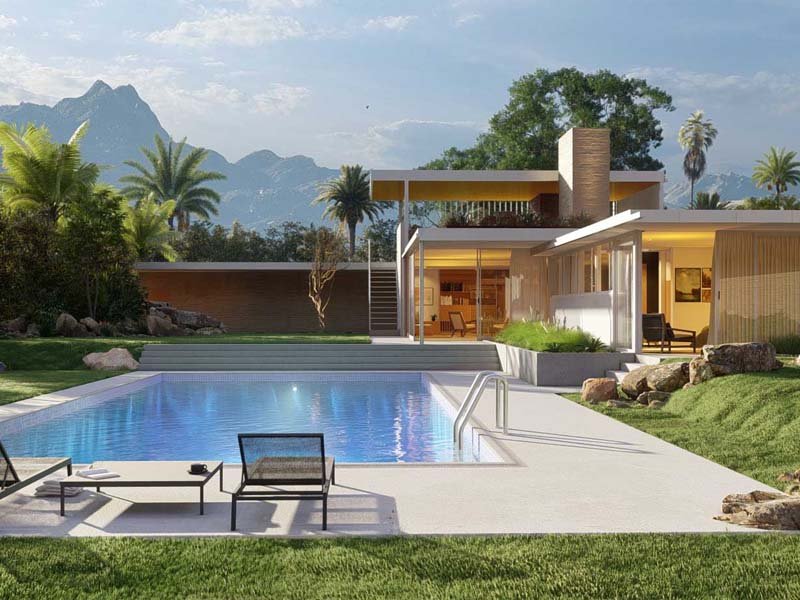
Animate your first architectural model in our intensive 2-week course
Animate your first architectural model at Orange Seed Academy — a beginner-friendly, 2-week course for aspiring architectural visualisers. Using Twinmotion and AI workflows with Gemini, you’ll master live Revit-to-Twinmotion syncing via Datasmith, PBR materials and decals, dynamic weather and HDRI lighting, animated crowds and traffic, construction phasing, and cinematic camera keyframing. Weekly quizzes and milestone deliverables build toward a fully populated, scripted walkthrough.
Beyond the core two weeks, enjoy a full month of free 1-on-1 mentorship to polish your animations, troubleshoot renders in real time, and build your portfolio. Choose from 10 curated architectural briefs, and graduate with photorealistic, portfolio-ready video walkthroughs built for a visualisation career. Enrol in Orange Seed Academy’s 3D Architectural Animation course today.
Course Outline
Week 1: Import, Context & Atmosphere
Topic A: The Direct Link (Datasmith)
- Workflow: Installing the Datasmith plugin in Revit.
- Syncing: Using “Direct Link” to update the Revit model changes inside Twinmotion instantly.
- Interface Tour: The Library, Scenegraph, and Properties panel.
- Navigation: WASD movement and speed control (Walk vs. Fly mode).
Topic B: Materials & Decals (PBR)
- Material Library: Replacing Revit’s basic textures with Twinmotion’s PBR (Physically Based Rendering) materials.
- Customisation: Adjusting Grunge, Weathering, and Reflection.
- Decals: Adding realism by placing dirt stains, road markings, and manhole covers on surfaces.
Topic C: Environment & Lighting
- Dynamic Weather: Creating rain, snow, and wet surfaces with a slider.
- Global Illumination (Lumen): Understanding the difference between Standard and Path Tracer rendering.
- HDRI Skydomes: Using high-dynamic-range images for realistic background lighting.
- Vegetation Paint: Rapidly planting forests and gardens using the “Paint Terrain” tool.
Week 2: Animation, Media & AI Workflow
Topic A: Living Architecture (Crowds & Traffic)
- Paths: Creating animated paths for Vehicles and Pedestrians.
- Character Library: Placing posed humans and animated groups.
- Custom Paths: Animating bespoke objects (e.g., opening sliding gates or flying birds).
Topic B: Phasing & BIM Motion
- Phasing Tool: Animating the construction process (Foundation -> Structure -> Façade).
- BIM Motion: Exporting a standalone executable file that allows clients to walk through the building on their own computer (like a video game).
Topic C: Cinematography & AI Integration
- Camera Keyframing: Setting up smooth “Walkthrough” and “Flyover” shots.
- Focal Lengths: Using 18mm for interiors and 35mm-50mm for exteriors.
- Innovative AI Workflow (Using Gemini):
- The Scriptwriter: Using Gemini to write a voiceover script for the architectural walkthrough.
- Prompt Example: “Write a 30-second luxury real estate voiceover script for a modern beachfront villa. Focus on the ‘indoor-outdoor living’ aspect.”
- Texture Generation: Describing a specific, unique material to Gemini to find similar PBR maps or generate prompt ideas for texture AI tools.
- The Scriptwriter: Using Gemini to write a voiceover script for the architectural walkthrough.
Mentorship & Portfolio Polish
After two weeks of core instruction, students enter a free 1-month mentorship delivered online via Discord. This phase shifts the focus from learning new tools to applying them to industry standards.
- Project Polish & Portfolio Building: Finish or redo your 2 required projects. High-quality submissions ensure better scores and a stronger portfolio.
- Weekly 1-on-1 Sessions: Each student is assigned a dedicated mentor for a personalised 30 to 60-minute weekly guidance session.
- Open File Reviews: Present open project files via live screen sharing for direct mentor critiques and feedback.
- Live Debugging: Join dedicated livestreams where instructors actively troubleshoot settings and fix your project errors in real-time.
- Final Premiere: Submit your fully rendered images or video for the Virtual Viewing Party to watch and critique final reels with the class.
- Certification & Next Steps: Complete the course evaluation and submit all final polished projects to finalise grading and unlock your Certificate of Completion.
What’s Inside?

1-on-1 Mentorship
One full month of dedicated expert guidance tailored to your specific goals.

Seed LMS Access
Lifetime access to the Student Portal, hosting all your modules and resources.

Weekly Interactive Quizzes
Test your skills and track progress with gamified assignments and feedback.

Official Certification
Validate your expertise with a digital certificate recognized by industry leaders.
What Will You Learn
- Synchronise Revit models directly into Twinmotion using the Datasmith link
- Apply and customise high-fidelity PBR materials and realistic surface decals
- Design immersive environments using dynamic weather, Lumen, and HDRI lighting
- Populate architectural scenes with animated pedestrian crowds and vehicle traffic
- Animate construction phasing and generate interactive BIM Motion walkthroughs
- Execute cinematic camera movements for photorealistic flyovers and interior tours
- Utilise AI tools to write professional voiceover scripts and brainstorm textures