Game Development Intro
Transform your ideas into interactive worlds with our beginner-friendly game development course. Master the fundamentals of game design, scripting, and asset implementation to build a playable project for your portfolio
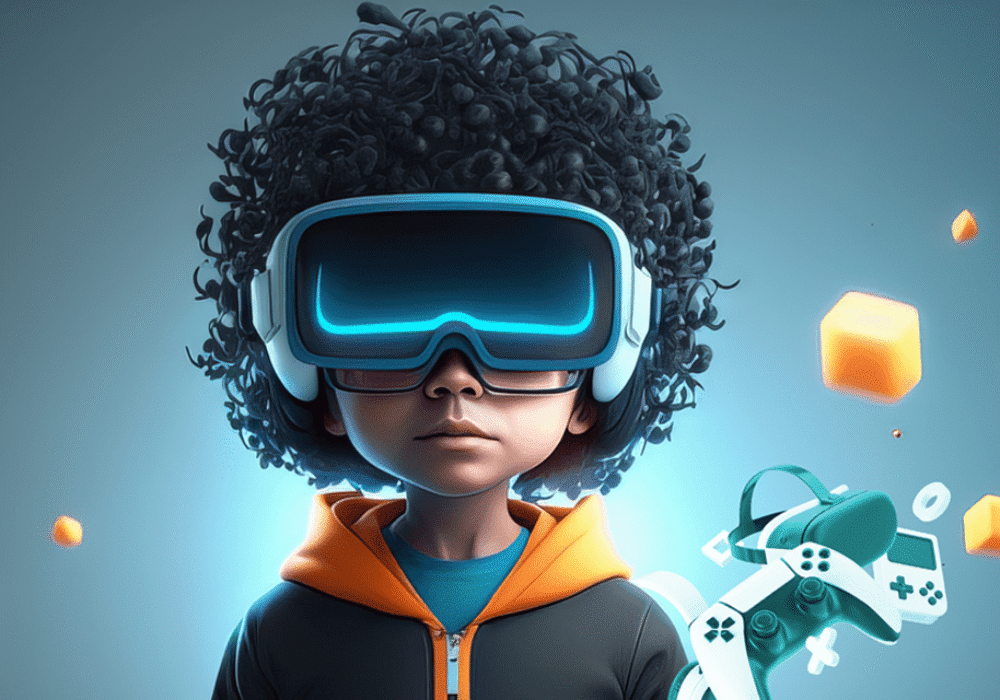
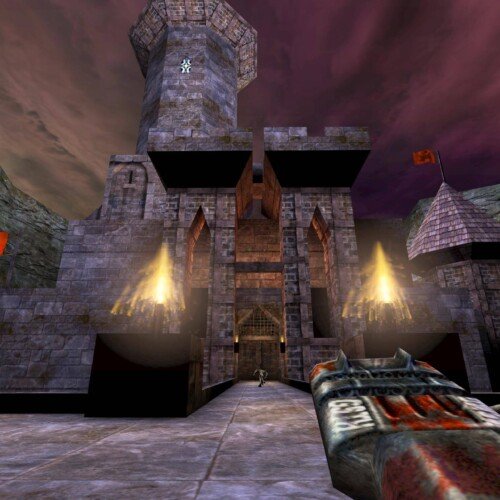
Develop your first playable game in our intensive 8-week course
The Unreal Engine Game Development training course provides a comprehensive overview of game development with the powerful and versatile Unreal Engine. Students will learn how to create 3D environments, set up lighting and cameras, control characters through animation systems, build levels using blueprints and materials, add sound effects for interactive audio experiences. Additionally, they will gain an understanding of optimization techniques to ensure their games run smoothly on multiple platforms as well as explore ways to monetize their creations. This course is ideal for students who are interested in creating immersive gaming experiences with the latest technology available today!
Course Outline
Week 1: The Engine & The World
Topic A: The Real-Time Pipeline
- How Game Engines differ from 3D DCCs (Maya/Blender).
- Interface Tour: Viewport, Content Browser, Outliner, and Details Panel.
- Project Management: Folder structures and naming conventions.
Topic B: World Building with Lumen & Nanite
- Importing 3D Assets: Static Meshes and Textures.
- Nanite: Handling high-poly geometry without performance loss.
- Lumen: Understanding Global Illumination and real-time lighting.
Topic C: Landscape & Foliage
- Creating terrain with the Landscape Tool.
- Painting materials (Grass, Rock, Sand).
- Using Foliage brushes to populate the world.
Week 2: Blueprints – Logic without Coding
Topic A: Blueprint Fundamentals
- Actors vs. Components.
- Events, Functions, and Variables.
- The Event Graph: BeginPlay, Tick, and Custom Events.
Topic B: Interaction Logic
- Triggers and Collision: Overlap vs. Hit.
- “Press E to Open”: Creating a functional door or chest.
- Branching Logic: If/Then statements in Blueprints.
Topic C: Blueprint Communication
- Casting: How one object talks to another.
- Timelines: Animating object movement (doors, elevators) via code.
Week 3: Blueprint scripting
Topic A: Game Modes & Pawn Classes
- Setting up the GameMode Base.
- The Character Blueprint: Capsule components and Mesh.
Topic B: Input Enhanced System
- Mapping keys (WASD/Space) to actions.
- Movement Components: Walk speed, Jump height, and Gravity.
Topic C: Cameras in Games
- Camera Booms (Spring Arms) and Third-Person vs. First-Person views.
- Using Camera Shakes for impact.
Week 4: Animation in Real-Time
Topic A: Skeletal Meshes & Import
- Exporting from Maya/Blender: FBX settings for UE5.
- Skeleton Retargeting: Using different skeletons on your character.
Topic B: Animation Blueprints
- State Machines: Idle -> Walk -> Run -> Jump transitions.
- Blend Spaces: Creating smooth movement transitions based on speed.
Topic C: Animation Montages
- Triggering one-off animations (Attacks, Reloads, Gestures) via Blueprint
Week 5: Materials & VFX
Topic A: The Material Editor
- PBR (Physically Based Rendering) workflow.
- Material Instances: Saving memory and time.
- Dynamic Material Parameters: Making objects glow or change colour through gameplay.
Topic B: Niagara VFX
- Creating fire, smoke, and magical sparks.
- Emitter types and Particle lifecycles.
Topic C: Post-Process Volumes
- Colour grading, Bloom, and Depth of Field in real-time.
Week 6: Sound & User Interface (UI)
Topic A: Unreal Audio (MetaSounds)
- Adding 3D Spatial Audio.
- Triggering sound effects via Blueprint events.
Topic B: Widget Blueprints (UMG)
- Designing an In-Game HUD (Health bars, Stamina).
- Creating a Main Menu and Pause screen.
Topic C: UI Logic
- Binding variables (Health) to the UI.
- Button interactions and screen navigation.
Week 7: AI Workflow & Innovative Methods
Topic A: AI as a Development Partner (Gemini)
- The Logic Architect: Pasting a logic requirement into Gemini to get a step-by-step Blueprint breakdown.
- Prompt Example: “I need a Blueprint logic for a double-jump system that resets when touching the floor. Explain the nodes I need.”
- The Narrative Designer: Using Gemini to generate item descriptions, lore, and quest dialogue.
Topic B: Innovative Prototyping
- Using Gemini to generate “Pseudo-code” that helps plan complex Blueprint systems before building them.
- Debugging: Pasting error logs into Gemini to find common UE5 fixes.
Topic C: Basic Enemy AI
- NavMesh Bounds: Defining where enemies can walk.
- Simple AI Behaviour: “Patrol” and “Chase” logic.
Week 8: The Vertical Slice & Packaging
Topic A: Optimization & Polishing
- Checking Frame Rates and Draw Calls.
- Light Baking (for static scenes) vs. Lumen.
Topic B: Packaging the Game
- Project Settings for Windows/Desktop.
- Building the project into a .exe file.
Mentorship & Portfolio Polish
-
After eight weeks of core instruction, students enter a free 2-month mentorship delivered online via Discord. This phase shifts the focus from learning new tools to applying them to industry standards.
- Project Polish & Portfolio Building: Finish or redo your 2 required projects. High-quality submissions ensure better scores and a stronger portfolio.
- Weekly 1-on-1 Sessions: Each student is assigned a dedicated mentor for a personalised 30 to 60-minute weekly guidance session.
- Open File Reviews: Present open project files via live screen sharing for direct mentor critiques and feedback.
- Live Debugging: Join dedicated livestreams where instructors actively troubleshoot settings and fix your project errors in real-time.
- Final Premiere: Submit your fully rendered images or video for the Virtual Viewing Party to watch and critique final reels with the class.
- Certification & Next Steps: Complete the course evaluation and submit all final polished projects to finalise grading and unlock your Certificate of Completion.
What’s Inside?

1-on-1 Mentorship
One full month of dedicated expert guidance tailored to your specific goals.

Seed LMS Access
Lifetime access to the Student Portal, hosting all your modules and resources.
Weekly Interactive Quizzes
Test your skills and track progress with gamified assignments and feedback.

Official Certification
Validate your expertise with a digital certificate recognized by industry leaders.
What You Will Learn
- Navigate Unreal Engine 5 and construct immersive worlds using Lumen and Nanite
- Program interactive logic and game mechanics using Blueprint visual scripting
- Set up player inputs, custom cameras, and smooth real-time animation state machines
- Design dynamic PBR materials and next-gen particle effects using the Niagara system
- Integrate spatial audio and functional user interfaces like health bars and main menus
- Utilise AI tools to map out complex logic, debug errors, and brainstorm game lore
- Optimise frame rates and package a polished “Vertical Slice” executable file

