Broadcast Design
Create the visual identity of television and digital media. Master motion graphics, title sequences, and branding packages that captivate audiences instantly. Learn to tell stories through dynamic visuals and take your design skills to a professional level.
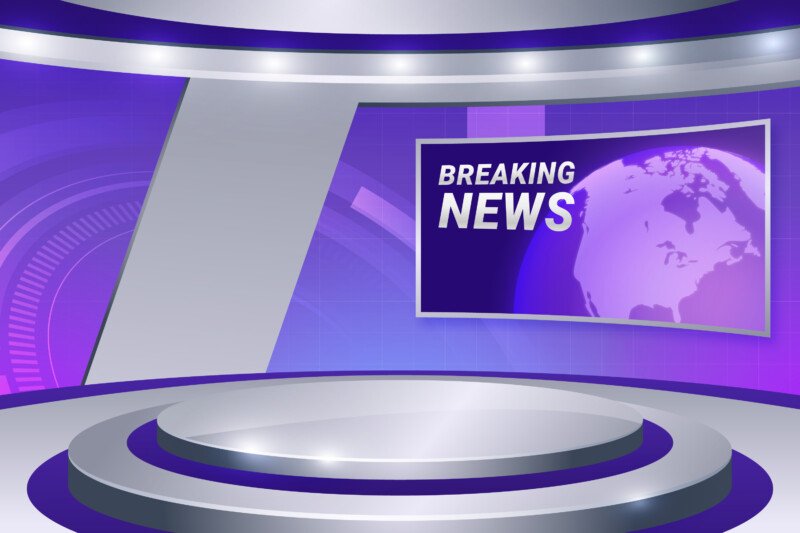
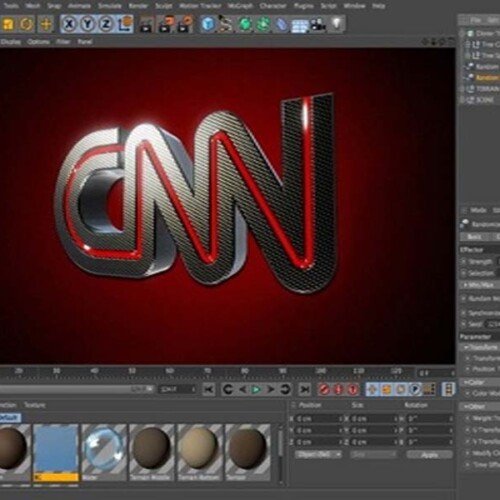
Create your first broadcast graphics in our intensive 4-week course
Designed for aspiring motion designers, this comprehensive four-week course on Seed LMS guides you step-by-step through Autodesk Maya, the MASH toolset, Adobe Illustrator, and modern AI workflows. You will develop the essential skills of 3D typography, vector extrusion, procedural motion graphics, broadcast shading, and cinematic lighting while building a professional TV branding pipeline. Beyond the core four weeks, you’ll receive a full month of free, one-on-one mentorship to polish your final renders, troubleshoot your MASH networks in real-time, and confidently build your broadcast design portfolio. Choose from our curated pool of 10 exciting motion graphics briefs, refine your skills, and graduate with portfolio-ready, broadcast-safe animations.
Course Outline
Week 1: The Foundation – Typography & Logos
Topic A: 3D Typography
- The Type Tool: Generating 3D text directly in Maya.
- Geometry Settings: Managing tessellation (Poly count) for smooth curves without heavy rendering.
- Deformers: Using Non-Linear Deformers (Bend, Twist, Flare) to animate text organically.
Topic B: Vector Import (Illustrator to Maya)
- Preparing the AI File: Cleaning up paths and saving as Illustrator 8 (Legacy).
- SVG Import: The modern workflow for bringing logos into Maya.
- Bevel Plus: Extruding flat shapes and adding custom bevel profiles to catch the light.
Topic C: Basic Logo Animation
- Centre Pivot: The importance of pivoting for rotation.
- Keyframing: Creating a smooth 360-degree loop.
- The Graph Editor: Using “Cycle” curves for infinite rotation.
Week 2: MASH – Procedural Motion Graphics
Topic A: MASH Basics
- The Network: Creating a MASH network from a mesh.
- Distribute Node: Arranging objects in Grids, Radial circles, and Spheres.
- Repro Mesh vs. Instancer: Understanding performance differences.
Topic B: Animation Nodes
- Signal Node: Adding noise and procedural movement without keyframes (The “Wiggle” of MASH).
- Audio Node: Making objects react to music beats (Essential for music channel bumpers).
- Falloff Objects: Using a 3D shape to trigger animation as it passes through the MASH network.
Topic C: ID & Colour
- ID Node: Randomising objects (e.g., scattering 5 different types of flowers).
- Colour Node: Randomising hue and saturation across the network.
Week 3: Lookdev, Lighting & Rendering
Topic A: Broadcast Shaders
- AiStandardSurface: Creating “Slick” materials: Glossy Plastic, Chrome, and LED Screens (Emission).
- Toon Shader (AiToon): Creating 2D-style “Anime” looks for kids’ channel branding.
- Motion Graphics Lighting: Using Studio HDRI maps for perfect reflections.
Topic B: The Camera
- Camera Sequencer: Cutting between multiple camera angles in Maya.
- Motion Blur: The key to realism in fast-moving graphics.
- Depth of Field: Focusing attention on specific text elements.
Topic C: Rendering for TV
- Resolution: 1080p vs 4K.
- Alpha Channels: Rendering logos with transparent backgrounds for the editor.
- Playblasts: Quick previews for client approval.
Week 4: AI Workflow, Python & Final Sprint
Topic A: Innovative AI Workflow (Using Gemini)
- The Python Scripter: MASH becomes powerful with Python. Use Gemini to write scripts.
- Prompt Example: “Write a Python script for Maya MASH to offset the rotation of every object by 15 degrees incrementally.”
- Concept Generator: Using Gemini to describe abstract backgrounds.
- Prompt Example: “Describe a 3D abstract background for a Tech News intro. Focus on keywords like ‘Data’, ‘Flow’, and ‘Connectivity’.”
- Texture Prompting: Using Gemini to generate prompts for AI image generators to create unique textures for your 3D models.
Topic B: Polishing
- Compositing: A brief look at taking the render into After Effects for a final “Glow” pass.
- Audio Sync: Ensuring the animation hits the final beat.
Mentorship & Portfolio Polish
After four weeks of core instruction, students enter a free 1-month mentorship delivered online via Discord. This phase shifts the focus from learning new tools to applying them to industry standards.
- Project Polish & Portfolio Building: Finish or redo your 2 required projects. High-quality submissions ensure better scores and a stronger portfolio.
- Weekly 1-on-1 Sessions: Each student is assigned a dedicated mentor for a personalised 30 to 60-minute weekly guidance session.
- Open File Reviews: Present open project files via live screen sharing for direct mentor critiques and feedback.
- Live Debugging: Join dedicated livestreams where instructors actively troubleshoot settings and fix your project errors in real-time.
- Final Premiere: Submit your fully rendered images or video for the Virtual Viewing Party to watch and critique final reels with the class.
- Certification & Next Steps: Complete the course evaluation and submit all final polished projects to finalise grading and unlock your Certificate of Completion.
What’s Inside?

1-on-1 Mentorship
One full month of dedicated expert guidance tailored to your specific goals.

Seed LMS Access
Lifetime access to the Student Portal, hosting all your modules and resources.
Weekly Interactive Quizzes
Test your skills and track progress with gamified assignments and feedback.

Official Certification
Validate your expertise with a digital certificate recognized by industry leaders.
What You Will Learn
- Convert 2D vector logos from Adobe Illustrator into high-quality 3D geometry
- Generate and animate 3D typography using non-linear deformers and keyframes
- Build complex, procedural motion graphics instantly using the Maya MASH toolset
- Synchronise 3D animations dynamically to music beats and audio tracks
- Apply glossy broadcast shaders, studio HDRI lighting, and depth of field
- Render broadcast-safe animations with proper motion blur and alpha channels
- Utilise AI tools to generate Python scripts, abstract concepts, and custom textures