3D Character Rigging
Transform static models into animatable puppets with our intensive 3D rigging course. Master skeletal structures, skinning, and control rigs to create functional, intuitive systems for games and film.
Transform static 3D models into fully controllable characters in 2 weeks
Designed for aspiring technical animators, this intensive two-week course on Seed LMS guides you step-by-step through Autodesk Maya, Advanced Skeleton, and Mixamo workflows. You will master the essential mechanics of 3D hierarchies, manual joint placement, constraint systems, precise skinning, and facial setups while building a solid rigging pipeline. Beyond the core two weeks, you’ll receive a full month of free, one-on-one mentorship to polish your mechanical setups, troubleshoot your rig errors in real-time, and confidently animate your creations. Choose from our curated pool of 10 exciting rigging projects, refine your skills, and graduate with a fully functional character rig.
Course Outline
Week 1: Fundamentals & The ``Under the Hood`` Mechanics
Topic A: The Logic of Rigging (Hierarchies)
- Core Concept: Parent/Child Relationships (The “Chain of Command”).
- The Outliner: Grouping (Ctrl+G) vs. Parenting (P). Why a clean Outliner = a stable rig.
- Critical Rule: “Freeze Transformations” and “Delete History” before placing a single joint.
- Topic B: The Skeleton (Manual Joint Placement)
- Anatomy for Riggers: Placing pivot points correctly (e.g., The Elbow pivot is not in the middle of the arm, but at the bone connection).
- Joint Orientation: Understanding Local Rotation Axes (LRA). Why does my arm twist weirdly? Because the LRA is wrong.
- Topic C: Constraints (The Glue)
- Parenting vs. Constraints: When to use which?
- Parenting = Permanent structure.
- Constraints = Flexible relationships (e.g., A hand holding a sword).
- Types: Parent, Point, Orient, and Scale constraints.
- Activity: Rigging a mechanical Piston using Aim and Point constraints.
Topic D: Skinning Basics
- Binding: Smooth Bind vs. Rigid Bind.
- Weight Painting: Using the Paint Skin Weights Tool (Add, Replace, Smooth operations) to fix deformation.
Topic E: Introduction to Auto-Rigging (Mixamo vs. Adv. Skeleton)
- Workflow 1 (Quick): Uploading a mesh to Mixamo for instant auto-rigging.
- Analysis: Inspecting the Mixamo skeleton in Maya to see how it differs from a manual rig.
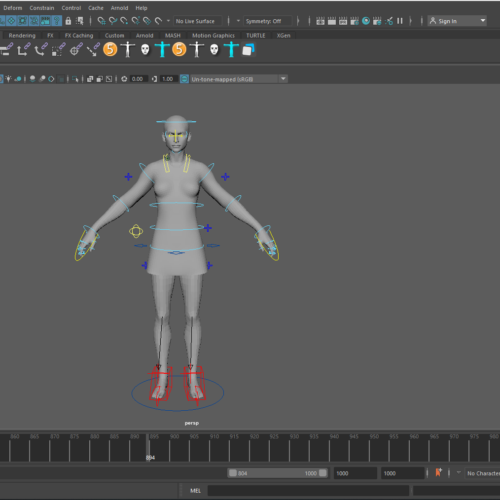
- Workflow 2 (Pro): Using Advanced Skeleton within Maya. The “Fit Skeleton” process for custom control.
Week 2: Advanced Techniques & Production Pipeline
Topic A: Refined Skinning & AI Tools
- Techniques: Mirroring skin weights (Left to Right) and Pruning Small Weights (Optimisation).
- AI Integration: Using AI auto-skinning tools (like AccuRig or NG_SkinTools basics) and learning how to manually clean up their output.
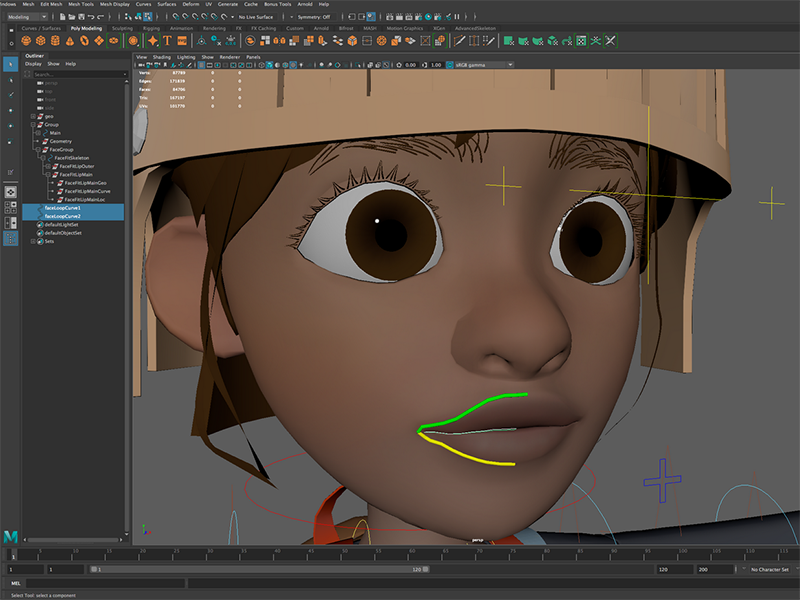
Topic B: Face Rigging Fundamentals
- Theory: Bones vs. Blendshapes.
- Bones = Jaw, Neck, Eyelids.
- Blendshapes = Smile, Blink, Brow Raise.
- Technique: Setting up a “Jaw” bone with proper pivot points.
- Practice: Creating a simple “Blink” blendshape and connecting it to a controller.
Topic C: Controls, UI, & Polish
- Controls: Creating custom NURBS curves (Circles, Squares) that are easy for animators to select.
- “Animator-Proofing”: Locking and hiding unnecessary attributes (Scale/Visibility) so animators don’t accidentally break the rig.
Mentorship & Portfolio Polish
After two weeks of core instruction, students enter a free 1-month mentorship delivered online via Discord. This phase shifts the focus from learning new tools to applying them to industry standards.
- Project Polish & Portfolio Building: Finish or redo your 2 required projects. High-quality submissions ensure better scores and a stronger portfolio.
- Weekly 1-on-1 Sessions: Each student is assigned a dedicated mentor for a personalised 30 to 60-minute weekly guidance session.
- Open File Reviews: Present open project files via live screen sharing for direct mentor critiques and feedback.
- Live Debugging: Join dedicated livestreams where instructors actively troubleshoot settings and fix your project errors in real-time.
- Final Premiere: Submit your fully rendered images or video for the Virtual Viewing Party to watch and critique final reels with the class.
- Certification & Next Steps: Complete the course evaluation and submit all final polished projects to finalise grading and unlock your Certificate of Completion.
What’s Inside?
1-on-1 Mentorship
One full month of dedicated expert guidance tailored to your specific goals.

Seed LMS Access
Lifetime access to the Student Portal, hosting all your modules and resources.
Weekly Interactive Quizzes
Test your skills and track progress with gamified assignments and feedback.
Official Certification
Validate your expertise with a digital certificate recognized by industry leaders.
What You Will Learn
- Build stable 3D hierarchies and maintain a clean Outliner structure
- Place manual joints accurately with correct Local Rotation Axes (LRA)
- Apply parent, point, and aim constraints to create flexible mechanics
- Bind skin and paint precise weights to fix complex deformation errors
- Integrate Mixamo and Advanced Skeleton for automated rigging workflows
- Construct facial setups utilizing bone structures and custom blendshapes
- Design animator-friendly custom NURBS controls and lock attributes